
Xuper TV EPG Guide: Reading the Program Guide Like a Pro
What the guide gives you
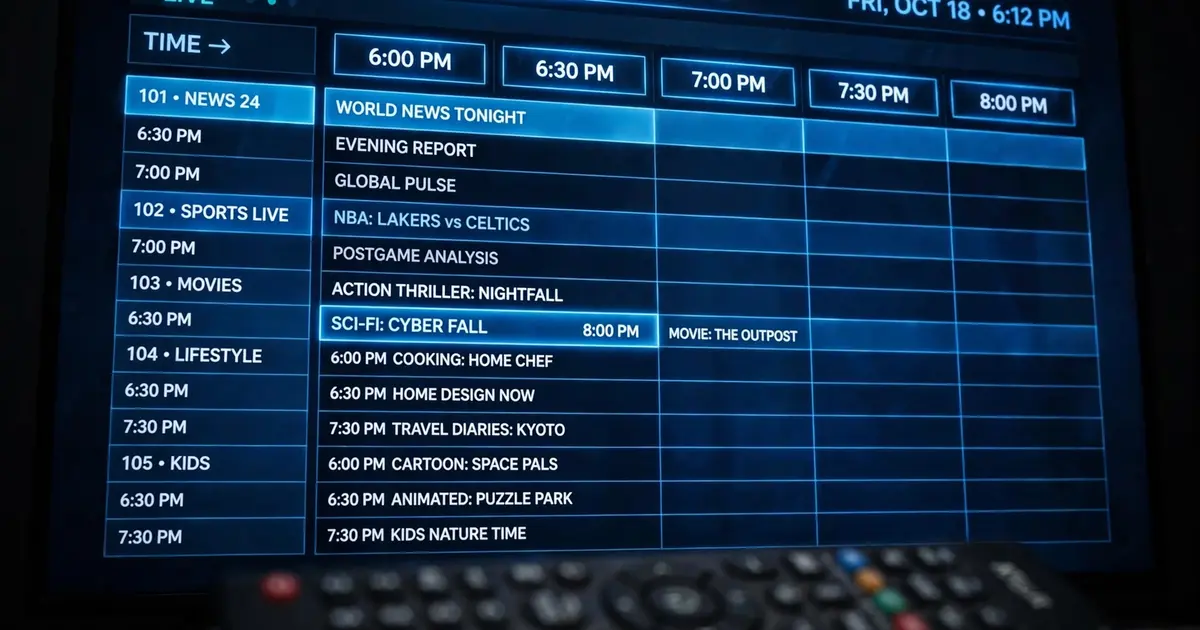
The EPG turns channel surfing into channel planning. Instead of flipping blindly, you see a grid: channels listed vertically, time running horizontally, with the current show highlighted. It answers the two questions that matter: what is on right now, and what starts in the next hour.
Reading the grid
- Rows are channels, grouped the same way as the channel list: sports, movies, news, kids, international.
- Columns are time, usually in 30-minute blocks. The "now" line is highlighted.
- Selecting a current show tunes to it. Selecting a future show may offer a reminder or just show its description, depending on the build.
Getting the most out of it
- Plan around live events. The sports guide pairs well with the EPG: find the match time once, set a reminder, stop channel hopping.
- Check before prime time. Guide data is freshest in the evening when sources update their schedules.
- Use it to discover. Scrolling the grid surfaces channels you would never open otherwise. Some of the best finds are accidents.
Fixing EPG problems
Blank guide. The source feed did not include schedule data. Switch the channel's server if the player offers alternatives, or check back later; guides refresh on their own cycle.
Wrong times. The guide may use the source's timezone rather than yours. A consistent offset across all channels means timezone, not broken data. There is no manual offset setting in most builds, so mentally adjust.
Stale data. If yesterday's shows still display, force close the app and reopen it to trigger a refresh. A cache clear helps when the guide is stuck for days.
EPG limits to know
The guide is only as good as its sources. Expect full schedules on big networks, thin data on niche feeds, and nothing at all on some regional channels. Treat it as a convenience, not a contract, and you will never be disappointed.